> For the complete documentation index, see [llms.txt](https://olivex-1.gitbook.io/dustland-litepaper/llms.txt). Markdown versions of documentation pages are available by appending `.md` to page URLs; this page is available as [Markdown](https://olivex-1.gitbook.io/dustland-litepaper/nfts/how-to-get-started/crafting-process.md).
# Crafting Process
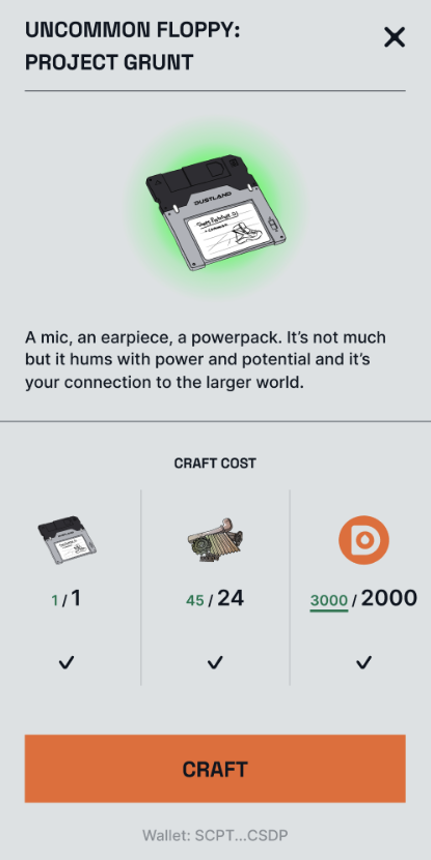
Log into the [Crafting Station](https://bit.ly/dustlandcrafting) with the player's Dustland account email and password. If players have sufficient crafting materials, click “Craft” to start.
(Only for illustration purposes)
If players don’t have enough in-game DOSE, they can swap for some Polygon DOSE on QuickSwap now! Two liquidity pools have been set up:
* LP for [DOSE/ETH](https://quickswap.exchange/#/analytics/v2/pair/0x2b633fdad355c8e2aaabc606d17d0f63ca0070d7)
* LP for [DOSE/MATIC](https://quickswap.exchange/#/analytics/v2/pair/0x3490268a42b1e6e35bb55a90ac831acbf4147522)
Always ensure that you’re interacting with the **correct contract address**: **0x81382e9693de2afc33f69b70a6c12ca9b3a73f47**
Players will be able to perform swaps from Polygon ETH or Matic to DOSE at the crafting website. Remember to add DOSE on Polygon to the MetaMask wallet linked to your game account (see how to do that [here](https://metamask.zendesk.com/hc/en-us/articles/360043227612-How-to-add-a-custom-network-RPC)).
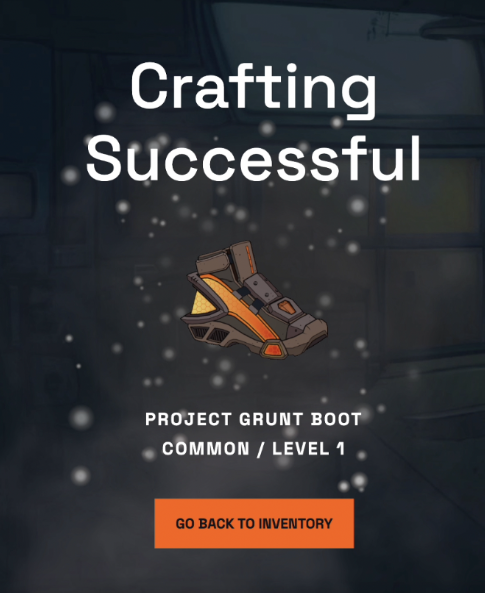
Players will see the following screen once crafting is successful!